

Light up spring tonight
A complete visual novel made with GalCraft: play all three routes online, then download the editable tutorial backup to study and change its dialogue, staging and pages in Studio.
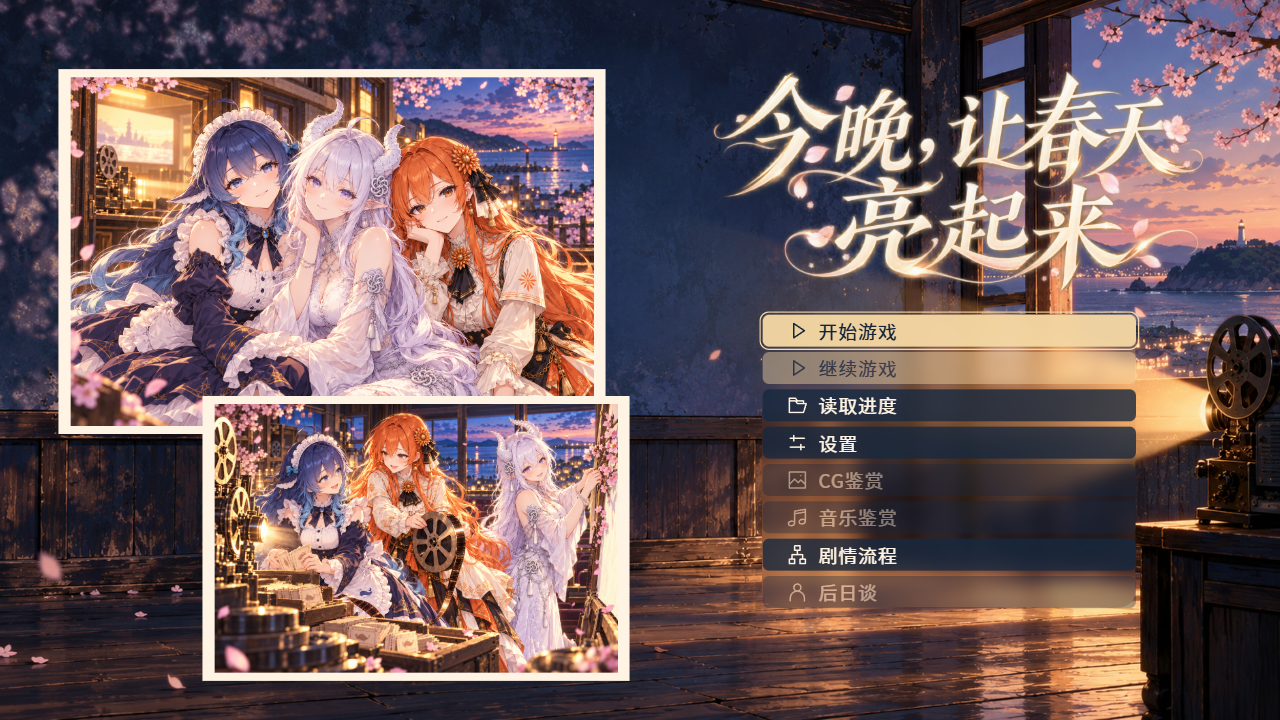
Play Light up spring tonight
Load the complete teaching story here. The story is Chinese, with Japanese character voices; menus are selectable.
Loads on request · Sound and fullscreen supported
Restore your own tutorial copy
Download galcraft-tutorial-0.1.1.galproject and the bilingual readme.txt from GitHub Release. The backup supports Studio 0.1.1 Windows x64, uses engine 0.1.1 and contains 213,090,473 bytes (203.22 MiB). Choose Create independent copy when restoring in Studio.
Three companions, three routes
Confirm your name before the OP, then join the shared street and preparation scenes as the player protagonist. Choose 澜汐, 绮白 or 绯书 as your companion. Each route reaches an ending and unlocks its ordinary afterstory on the home page.
- Story and performance
- Nine scenes, eighteen character expressions, 39 finished Japanese voice lines for the three route characters, silent player dialogue and first-person narration, four Motion Canvas films, overlapping motion, weather and NVL reading. Read lines use a warm gray tone.
- Memory wall home page
- Edit the midnight-blue wall, two three-person photos and original Chinese title artwork as separate layers. Keep real menu actions and unlock behavior.
- Reading and galleries
- Click once to complete text and again to continue. Save and load to resume a position. Read an ending, then explore unlocked CG, music, flow and afterstory entries.
Restore, edit and publish in Studio
Restore an independent copy
Once you have the tutorial .galproject backup, choose Restore backup in Projects and select the file. Choose a fresh destination and folder name, then Create independent copy. Prepare and check dependencies before confirming.
Review exact dependencies
Install engine 0.1.1, org.galcraft.rich.paper 0.1.0, and these authoring plugins: org.galcraft.music-composition 0.1.0, org.galcraft.motion-canvas 0.1.0. The restore review lists missing versions. Playing existing media needs no generation service.
Change one line or page layer
Edit narration in the opening street scene, or move a photo on Home. Choose Save all and confirm saving the selected objects in Save review, then playtest the change. The restored copy has its own project identity.
Build and run a Web release
Select Web and a dedicated empty output folder. Check the saved version and build. With Node.js installed, run node preview.mjs or double-click preview.cmd in the complete release folder.
Preview commands and expected result