

GalCraft.
A visual novel editor.
GalCraft is an open-source visual novel and Galgame authoring tool. Write dialogue, arrange scenes and branches, and preview your story visually in GalCraft Studio. Publish standalone Web or Windows games, and connect an AI assistant through MCP when you need one.
Studio 0.2.0 · Windows x64 · Early preview

One workspace.
The full production flow.
Edit your story, assets, and pages in one project. If you connect an AI assistant, you still review changes, preview scenes, undo edits, and save your work.
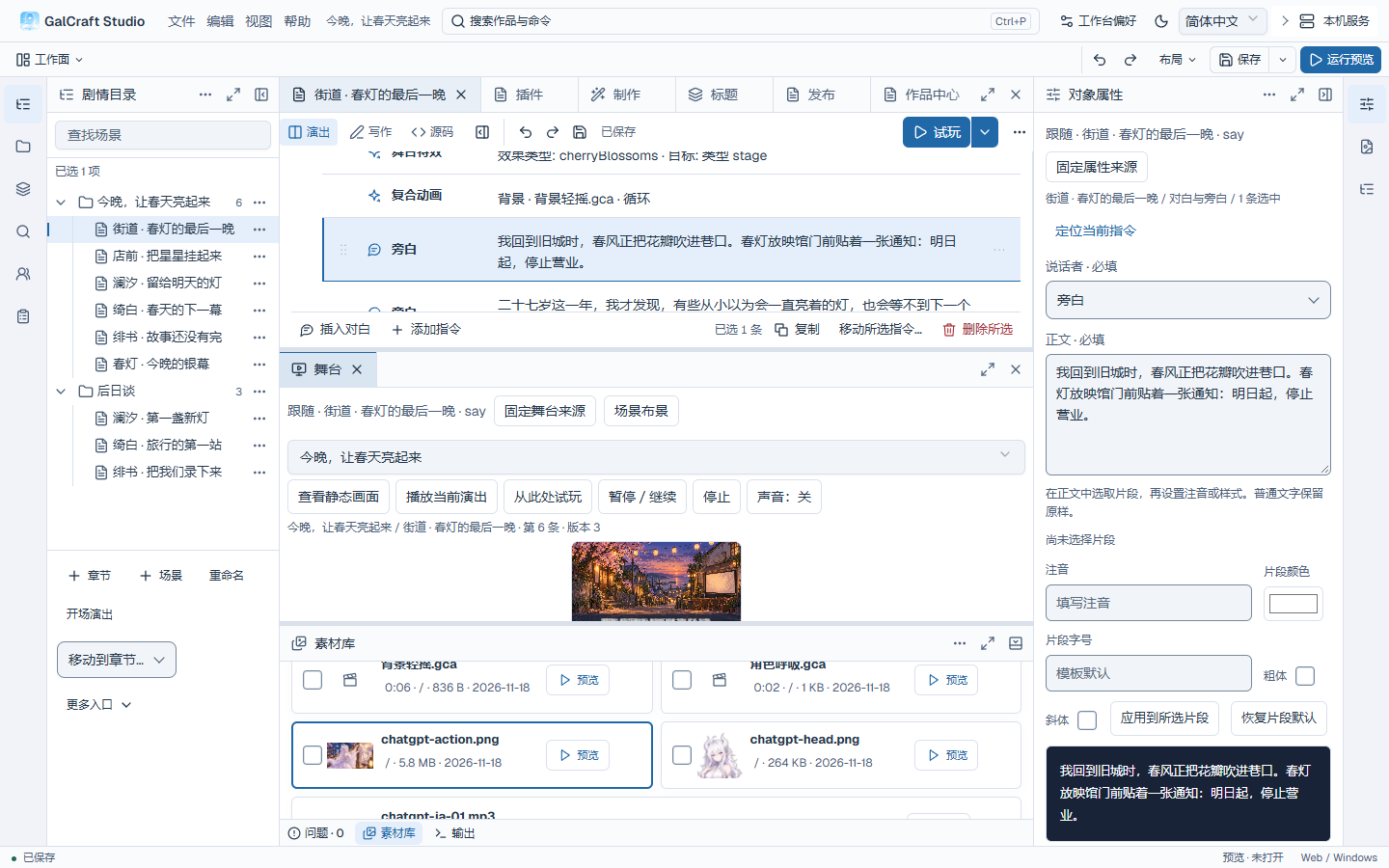
Arrange dialogue, backgrounds, and characters. Select a command to inspect the stage and its properties.
Read the manualWrite and structure
Organize scenes and branches. Switch between writing, performance, and source views as you work.
Explore story authoringArrange and refine
Manage assets, cameras, and animation. Connect a generation service when needed, then compare and adopt candidates.
Read the production guideBuild and publish
Check your saved project and dependencies, then build a standalone Web or Windows release.
Read the publishing guideStart with a scene.
Test a complete release.
Follow the visual novel tutorial to change dialogue and backgrounds, playtest, and publish for Web. Or use the Standard template to build a two-route story in the “Your first visual novel” guide.
Open the tutorialStudio 0.2.0 is an early preview for Windows x64. These exercises need no AI account or generation service.
Open a terminal in the exported Web release folder:
node preview.mjsThe terminal prints a local preview URL. Open it to check dialogue, branches, saving, and loading.
Documentation and examples
Find instructions for the next part of your project.