

Agents and MCP
Connect an external AI assistant to GalCraft Studio through MCP. Configure the client and project scope, set a concrete creative goal, and verify adoption, binding and saving. Bring your own model and account.
External assistants and Studio share the active project, undoable working version and formal save flow. Configure models and sign-in in your client. Studio supplies local services, live catalogs and collaboration scope.
Connect a client
- Open your project, then open Collaboration activity from Workfaces and choose Start service in Local service.
- Choose Connect assistant and preview the Codex, Claude Code or DSH setup in Assistant configuration. Copy, export or choose Install / update MCP configuration. Reload MCP in the client, then configure its model and sign-in.
- Use the actual address shown by Studio. The default MCP URL is http://127.0.0.1:9460/mcp. If it changes, preview and merge Repair client configuration.
- Confirm the goal, allowed documents, new object kinds, connections, models and generation budget. Adding a scene also changes the project chapter document.
For Codex, choose the directory actually opened in Codex under Assistant workspace directory. It defaults to the current project. If Codex opens a parent GalCraft_作品 folder containing several projects, choose that folder to install its .codex/config.toml. Studio remembers this local preference per project; Use current project directory restores the default. A parent workspace does not automatically discover configuration inside child projects. Project Skills remain in the current project directory.
The page shows the configuration file and target project directory separately. The launch command enters the selected workspace, while project instructions retain the current project identity. After installation, reload MCP in Codex and confirm GalCraft is connected. Configuration written means the target file uses the current address. Reload MCP in the client and confirm the connection.
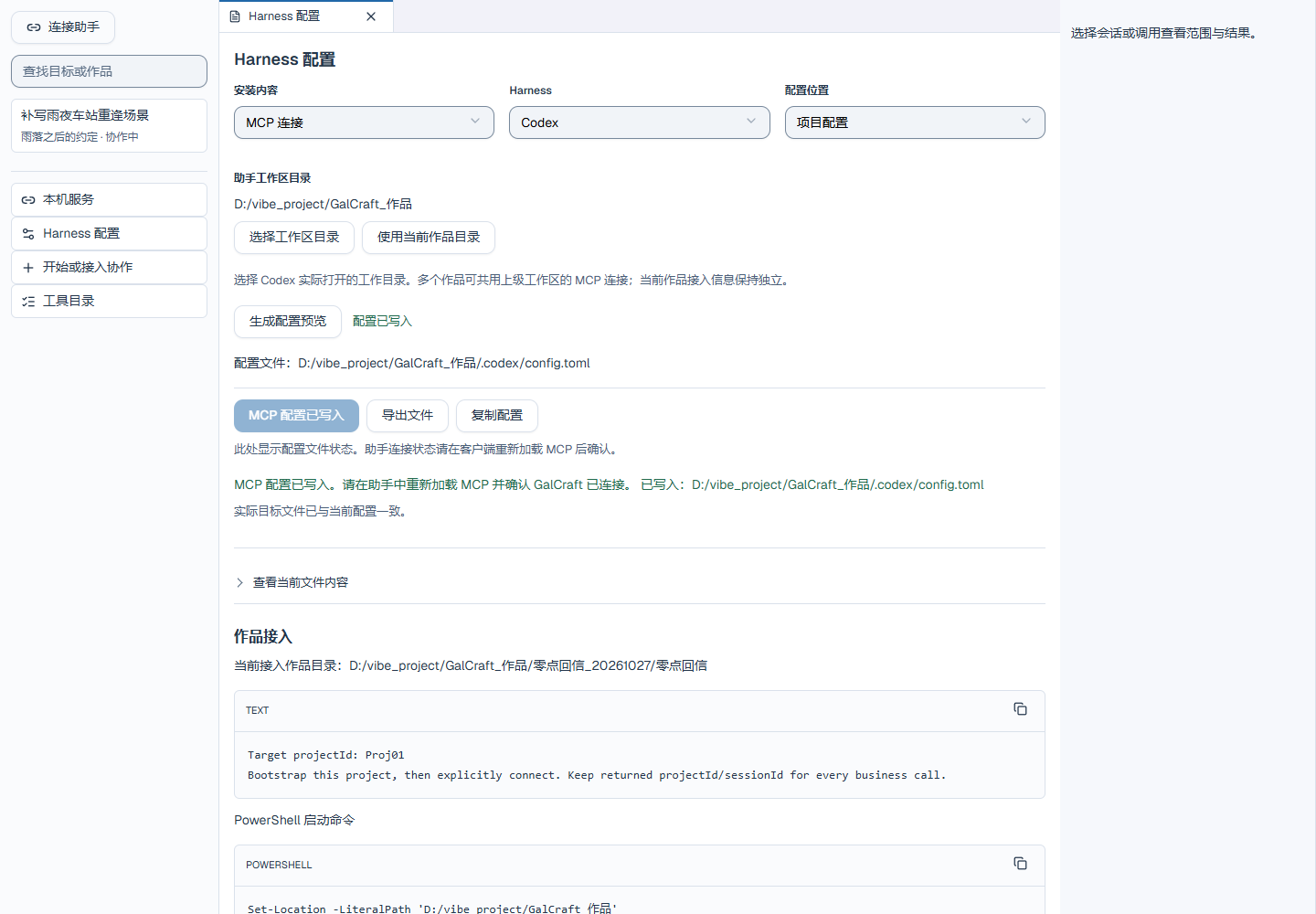
The configuration page reads the target files to show Not installed, Installed, Configuration written or Update available. Installation and merging refresh the preview and next action; reentering the page reads the files again. Progress, success and errors appear beside the action. Successful exports show the selected destination, while cancellation shows a neutral result. If a file changes after preview, choose Preview configuration to review it again before retrying the write.
When a Skill contains local edits, Studio preserves the original and saves official updates as .galcraft-update. The page lists the actual update path for review. Expand it to compare preserved content with the official update, then apply the content you need. If stopping MCP fails, the confirmation keeps the reason and retry action. Cancel returns to the service page, whose status continues to show the actual service state.
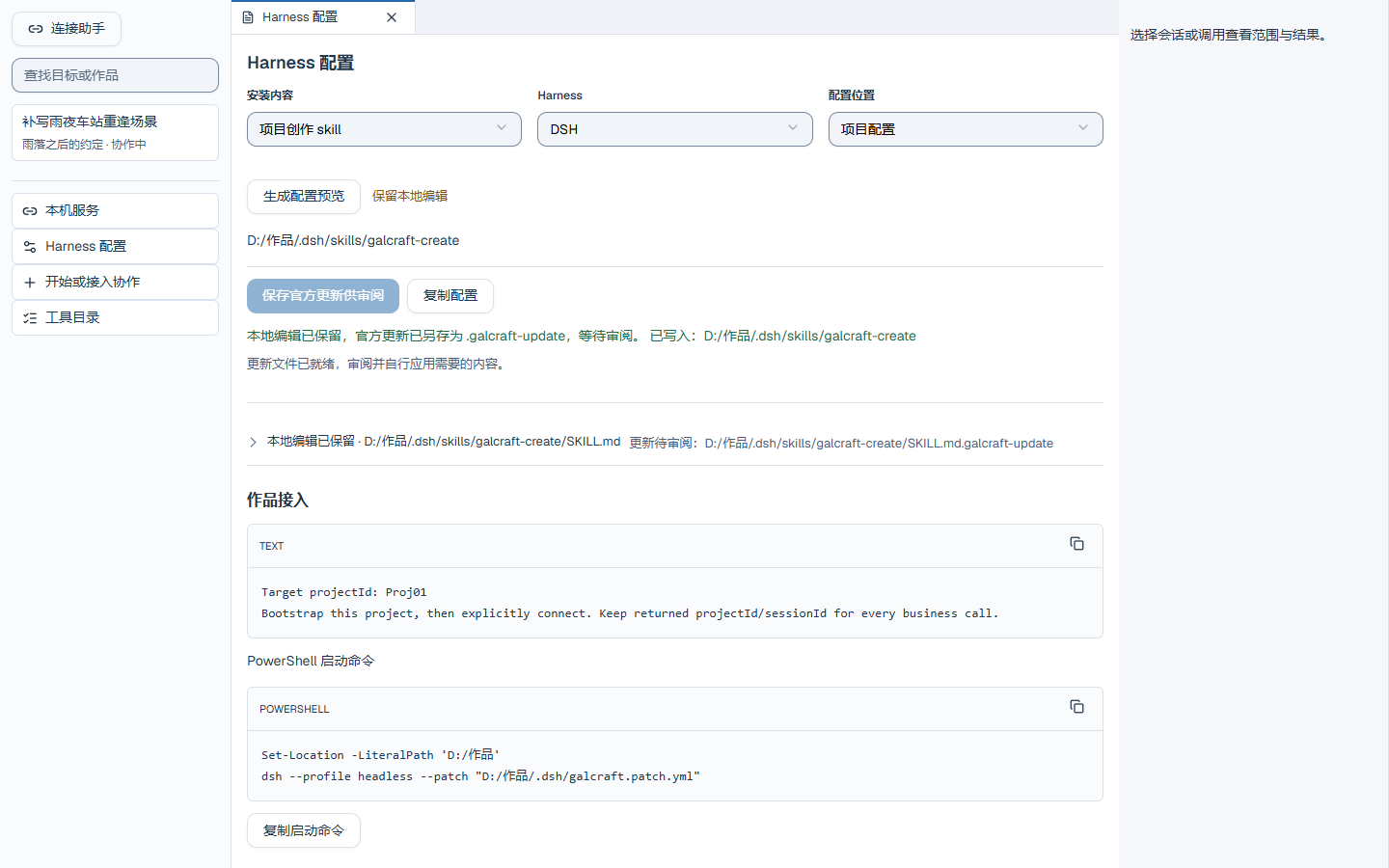
For clients with a fixed configuration location, Assistant configuration shows the file path. If the service is stopped, use Local service to open its controls.
Give an actionable goal
“Keep this script. Give 澜汐 restrained expression changes and a short entrance fade using existing media, with no new generation requests. Apply the edits and report the actual changes and save state.”
The assistant reads galcraft_guide, then discovers real commands, presets and parameters through galcraft_catalog as needed. The official galcraft-create Skill uses the same creative workflow; install or update it through client configuration. Restrained staging is a starting recipe for ordinary dialogue; explicit author direction takes priority.
Review and recover
For page behavior, discover galcraft_pages with catalog part blueprint. Read the page and component binding, validate the graph, and prepare the change against the current page revision. Apply the returned plan and save separately. galcraft_preview can trigger an exact page, component and binding in an isolated Player with an applied graph or an explicit draft. Its result includes the revision, actual branch and node diagnostics. Use Studio for breakpoints and stepping.
Open a round in Collaboration activity to inspect calls and details. Distinguish completed candidates, adoption, binding and saving. Pause blocks new writes and sends while existing tasks remain queryable. Query uncertain results with the original callId, preserving remote identity and send counts. Reopen or rebind a write session after closing a project.
See Production and collaboration for full configuration, tool families, media reads, saving and local release.
Basic operations
Basic operations — GalCraft Studio product manual.
Sample tutorial: Light up spring tonight
Play Light Up Spring Tonight and restore its editable tutorial backup. Practice changing narration, character staging and the home page, then build a Web game and explore routes and afterstories.